Your Shopify CSV Export Is Not a Backup
I once changed the price on every single SKU in my Shopify store. By accident. In one upload.
I'd exported my products to a CSV to make some price changes. I sorted the columns, one column didn't sort with the rest, and I re-imported it anyway. Everything was off by one row. Every product picked up its neighbour's price.
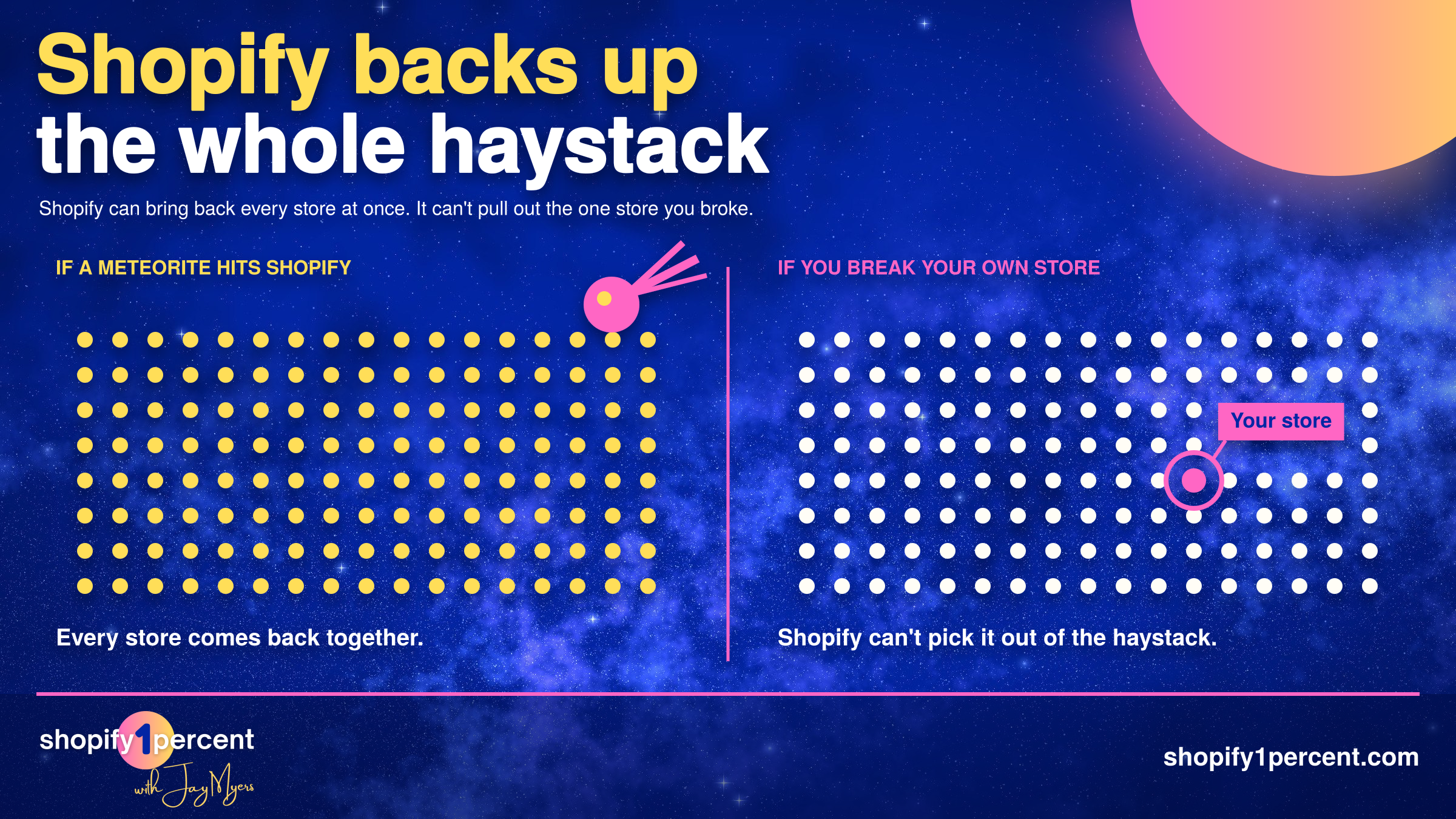
So when Mike Potter, co-founder and CEO of Rewind, told me his team has a saying, "friends don't let friends use CSV files," I didn't argue. I wanted it on a T-shirt.
The short version: Shopify backs up its platform, not your store. If you delete products, run a bad CSV import, or an app with a bug overwrites your catalogue, Shopify support can't restore just your store, and a CSV export won't bring your product images back. You need a real backup installed before anything goes wrong, and a restore you've actually tested.
Does Shopify back up my store?
Yes. Just not in the way you need.
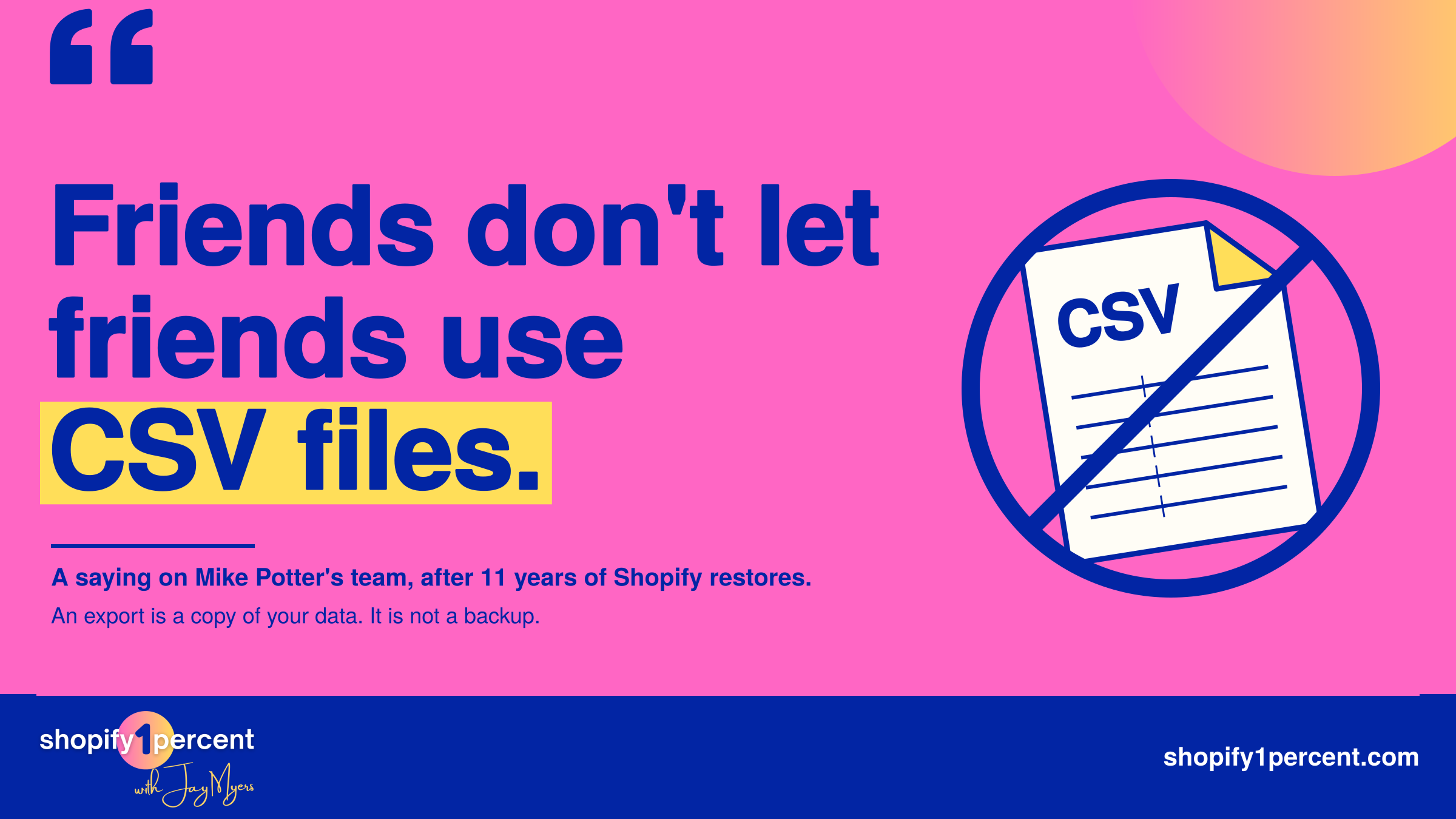
Mike explained it with a meteorite. If one hit Shopify's servers, Shopify could bring the whole platform back exactly the way it was. But that backup is all or nothing. It can't reach into the haystack and pull out the one needle that's your store after you broke it.
That's the shared responsibility model. Shopify keeps the platform running. Your data is your job.
I'd been reading what Shopify's terms say about your data before we recorded, and it lines up. You're paying for uptime, hosting, PCI compliance and a checkout that works. You're not paying for someone to undo your bad Tuesday. That's true on Basic, and it's true if you're paying $2,000 a month for Shopify Plus.
Mike used to have a line for merchants who were sure they didn't need a backup: delete your catalogue, call Shopify support, and see what happens. Nobody ever took him up on it.
And for the record, in 11 years Mike says he's never once seen Shopify itself cause the problem.
What actually breaks Shopify stores?
Us. Mostly.
Mike says human error is the biggest cause by a mile, especially on small Shopify teams where everyone's doing two or three jobs. Then come third-party apps, agencies, the odd co-founder breakup where somebody deletes things on purpose, and cats jumping on keyboards.
Rewind's first real rescue, in December 2015, was a UK baby shoe store. An app that was supposed to sync inventory had a bug, and it deleted the entire catalogue instead. It's the moment Rewind went from a side project to a business.
None of this is rare. In Backupify's State of SaaS Backup and Recovery 2025 survey of over 3,000 IT and security pros, 87% said they'd lost SaaS data in the previous 12 months, and integrations with third-party apps caused 30% of incidents.
The kind that worries me most is the one you don't notice. Wreck your catalogue with a CSV and at least you know you've got a long weekend ahead. An app with a bug changing prices on a Wednesday afternoon? You find out when orders start coming in for $1 items.
Mike's line on that: "Last thing you want is your customers being your QA agents."
Why isn't a CSV export a real backup?
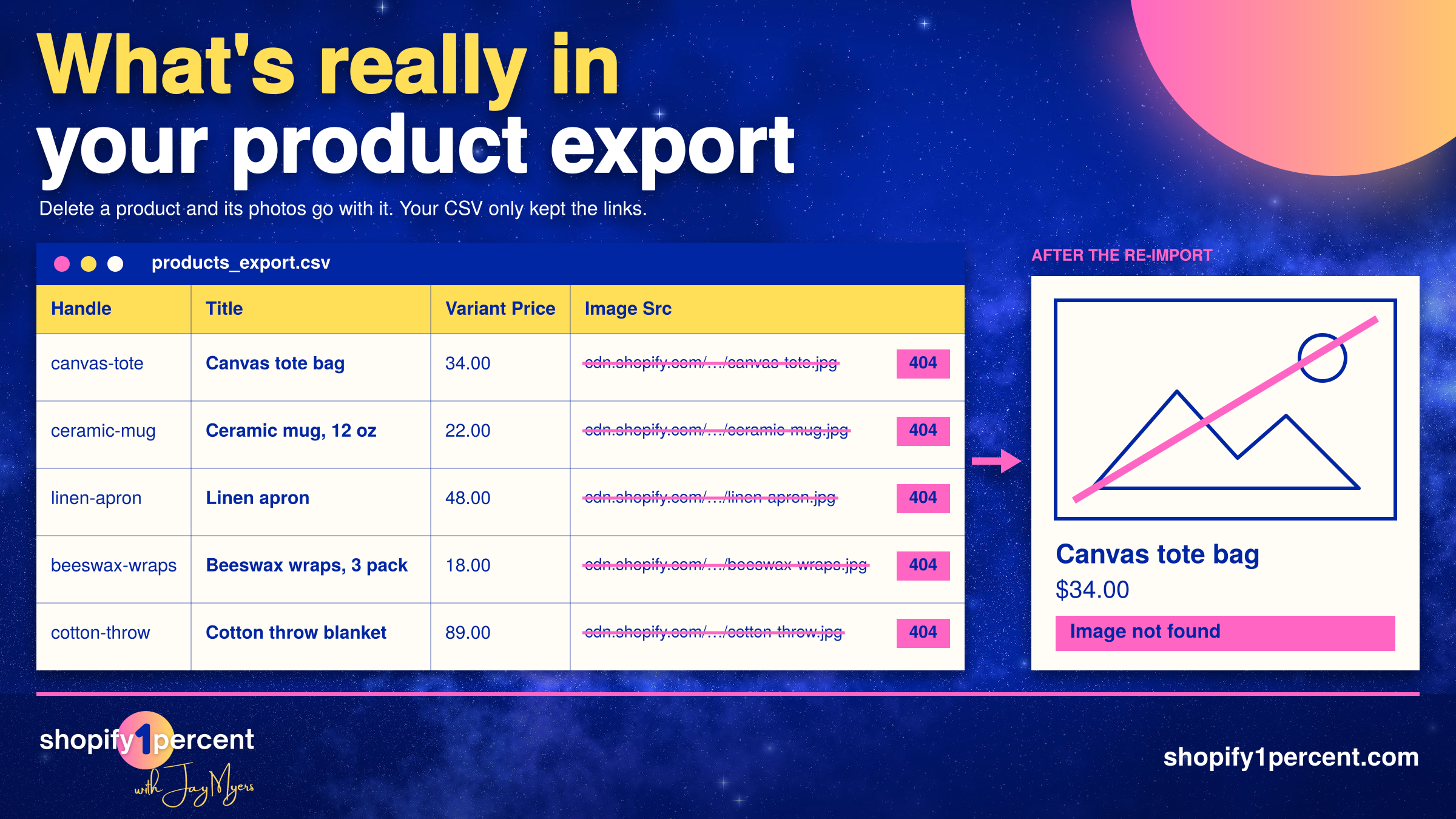
When you delete a product in Shopify, its images get deleted too. Your CSV export doesn't hold the photos. It holds links to them. So you re-import your products and get a catalogue full of dead image links. Mike says he can't count how many times that's come up.
Rewind has a case study on Whisker Seeker, a catfishing gear brand whose bulk import wouldn't load three days before Black Friday. Support told them to delete their products and try again. It failed again, the catalogue was gone, and they ended up reshooting photos for over 100 SKUs.
It gets worse. While prepping for this episode, I found out you can export your orders and discount codes from Shopify, but you can't import either of them back. Those "backups" are one-way tickets.
Mike put it simply: "There's a difference between creating a copy of your data and creating a backup of your data." An export is a copy.
A real backup also restores only what you need. Mike's example: roll your product images back to Monday at 5 p.m. because an app mangled them, but leave your prices alone because you started a sale this morning. My Mac's Time Machine can't do that.
The Rewind Backups app for Shopify showing saved versions of a product that can be restored
Should AI apps have write access to my Shopify store?
I went into this one expecting AI to top Mike's list of store-killers. It didn't, and I'm still not sure what to make of that.
Mike didn't pretend to know. Rewind customers restore on their own without talking to support, so he often can't tell why. He's starting to see AI stories come in, but human error is still number one. And he's clear that nobody's getting by without AI anymore. He called it an overwhelming productivity gain. (I was the guy who wouldn't connect AI to my Gmail at first. Now I've got it connected to a lot of stuff.)
Most merchants think they're not using AI on their store because they never connected Claude to Shopify. Then you look at their apps. There's a pricing app, a sale app, an AI SEO tool rewriting titles and alt text, and Sidekick building Shopify Flow automations. Most of those apps got write access the day you clicked Install, and you haven't thought about it since.
You're not alone. Obsidian Security found in 2025 that 90% of AI agents in SaaS environments are over-permissioned, typically holding ten times more access than they need.
Mike's rules are simple:
- If an app only needs to read your data, don't approve it when it asks to write.
- Pricing is probably fine to automate if your instructions are clear, since it's numbers.
- Anything creative, like product images and descriptions, gets a human checking the work before it goes live.
How long should my Shopify code freeze be before Black Friday?
A lot of bigger Shopify brands lock everything down on November 1. Mike thinks about a week before Black Friday Cyber Monday is plenty, as long as you've got a staging store that mirrors your live one and you test the basics before anything ships: prices are right, and the add to cart button still works.
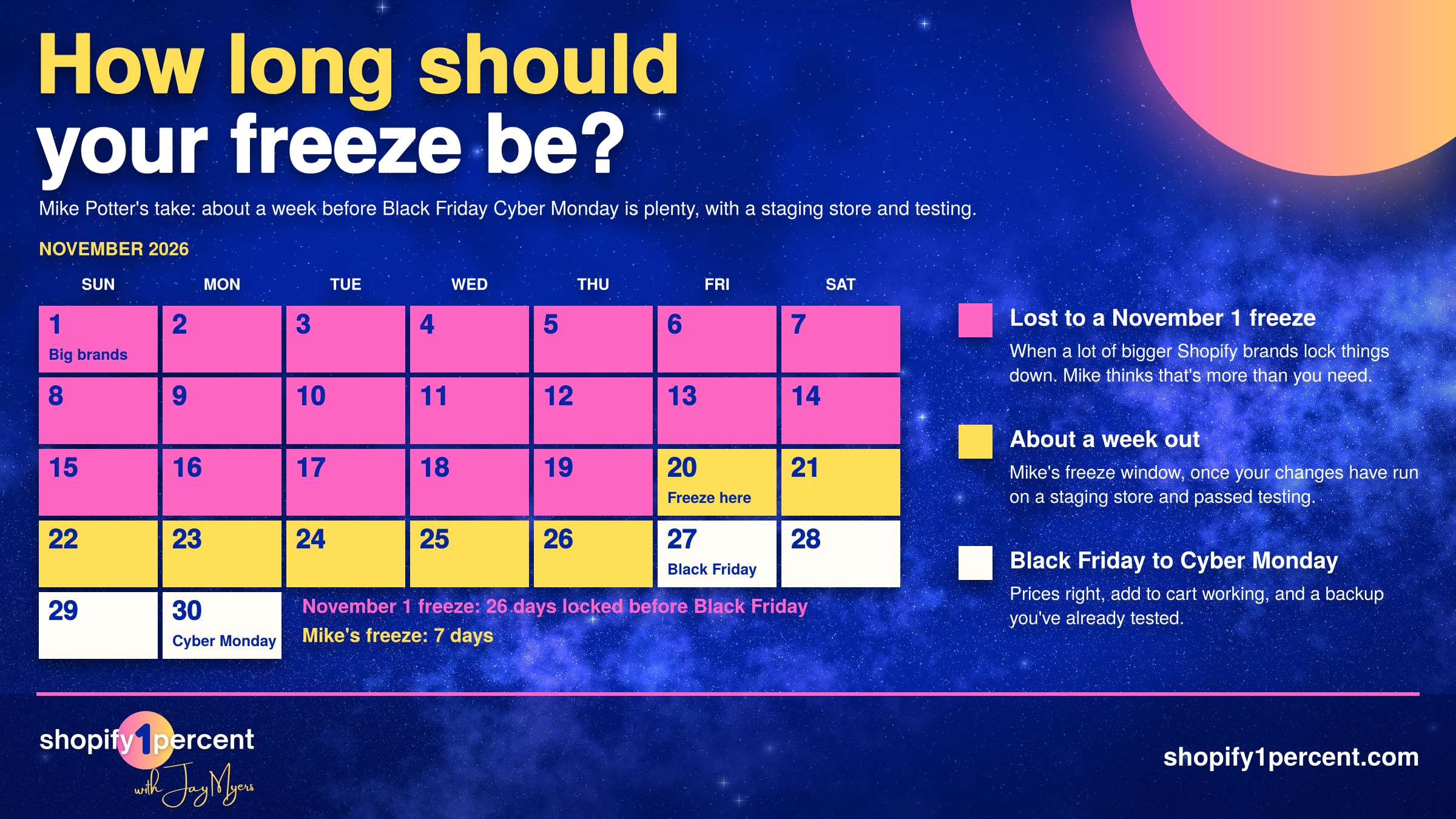
His argument is that a big brand building software is a software company. I pushed back a bit, because 99% of Shopify brands aren't, and shouldn't have to think like one. Either way, Mike says customers keep telling him a backup lets them move faster. With a safety net underneath, you can run across the tightrope instead of inching along.
And test the checkout, even though it's Shopify's. I tried to buy something from a Shopify store and couldn't get past the cart because an app's JavaScript was blocking the button. I didn't email them. Most shoppers won't either. In Baymard Institute's checkout research (updated 2025), 17% of US shoppers said they'd abandoned a checkout because the site had errors or crashed.
How do I test whether my Shopify backup actually works?
You break something on purpose.
Every time our power goes out, I think we're fine. Then I remember the water pump needs electricity. So there's no water. And you can't flush the toilet.
Your store works the same way. I built a worksheet for this in my solo episode on what happens when AI or a Shopify app deletes your data: list your best-selling product, live theme, best landing page, menu and customer list, then write down where you'd restore each one from and how long it would take.
Mike lives this. He follows the 3-2-1 rule of backup at home, right down to a network drive in his basement that's copied to the cloud in case the house burns down.
Two things he wanted every merchant to hear. First, test it for real. If you think a CSV is going to bring back your product images, delete a test product and find out. Second, a backup only works if it's installed before the problem happens. "This is not forensic science," Mike said.
If you do one thing this week, make it this. Duplicate one product, delete the copy, and bring it back from whatever you're calling your backup. Time it. If the answer is "I can't," your store isn't backed up.
Rewind is a Shopify1Percent partner, and listeners get 30 days free instead of the usual 7 at shopify1percent.com/rewind. Mike's tip: time it so the 30 days cover your busiest stretch, like Black Friday.
🎧 Search #Shopify1Percent anywhere you listen to podcasts to get the full episode.
And if you're not subscribed yet, fix that before your next CSV upload.

Co-Founder @ Bold Commerce // Host Shopify1Percent
Jay Myers has been in the ecommerce game for over 25 years. First as a merchant, then a service provider, and today a software provider. His company, Bold Commerce, has helped over 800,000 online stores sell more on Shopify. Their suite of apps help brands maximize LTV (Customer LifeTime Value), and AOV (Average Order Value).
Bold has been ranked one of Canada's Top Medium Sized Employers, ranked in the top 50 fastest growing companies in Canada by Deloitte multiple years, a Top Growing Company in Canada by the Globe and Mail, and winner of the Ernst and Young Entrepreneur of the Year award.

How to Find Creators and Affiliates for Your Shopify Store