More 5-Star Reviews Won't Fix What AI Says About Your Shopify Store. Here's Why.
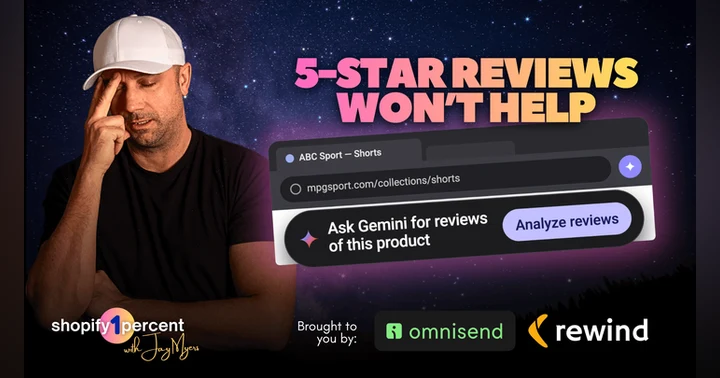
Chrome now offers to analyse the reviews on your product page before a shopper reads a word you wrote. I clicked it on a pair of shorts and got answers that weren’t from the brand’s site at all. On this Shopify podcast I break down why more five-star reviews won’t fix a bad AI summary, and the four moves that actually will. Search Shopify1Percent and press play.

 Apple Podcasts
 Spotify
 YouTube
 Amazon Music
 Audible
 I was on a product page in Chrome the other day and a little prompt dropped down beside the URL bar offering to analyze the reviews for me. Not the store asking. Chrome asking. So I clicked it, expecting a summary of the reviews sitting right there on the page, and that isn't what I got at all. This episode is about what that actually means for your store, and why the reflex most merchants will have (get more five-star reviews) is usually the wrong first move. I walk through the three separate Google systems that get mashed together in everyone's head, then four moves: audit it, trace it, feed it, change it. The one in the middle is the whole point.
KEY TAKEAWAYS
- What are the four completely different problems hiding behind one bad AI review summary?
- Why does Gemini in Chrome pull information that isn't on your product page?
- How can Google have 500 of your reviews and still not connect them to the right product?
- Which Google review systems does your review app actually support, and how would you know?
- When should you ask for a review on a mattress versus a pair of shorts?
- Is it okay to give a customer a discount for leaving a review?
⭐️ Support the amazing sponsors that make this show possible ⭐️
OMNISEND
I personally use Omnisend for email and SMS on every Shopify store I manage, and for this show too! I've tried them all, and it's hands down the best way to run every email and SMS automation and campaign you need, segment to personalize them, and A/B test everything to optimize conversion.
PLUS, you can now connect Omnisend to ChatGPT or Claude and just ask “where can my email and SMS be making more money?” It reads your actual store data and tells you, then builds the campaign for you right from the chat. It even writes in your brand's voice. Fifteen years doing this and it's the closest I've felt to having a full-time marketer sitting beside me. (Plus most merchants report paying about half the price of Klaviyo.)
🚨 Listeners (YOU) get an exclusive 30% OFF 3 MONTHS: http://shopify1percent.com/omnisend
REWIND
The undo button for Shopify. I’ve watched merchants lose entire catalogs to one bad import or an app update... Shopify’s own terms make your store data your responsibility. Rewind backs up your products, themes, orders, and customers automatically, and restores one item, or your whole store in a couple of clicks.
In my opinion, if you're actually serious about your Shopify business, you absolutely should have Rewind running on it. There's no excuses not to have it backed up. Rewind is trusted by 25,000+ businesses including Olaplex and Dr. Martens. Set it up once and have peace of mind forever.
🚨 Our listeners get an extra month FREE. Use code JAY when you sign up here: https://bit.ly/s1p-rewind
MENTIONED IN THIS EPISODE
- Google's Rich Results Test: https://search.google.com/test/rich-results
- Google Merchant Center: https://merchants.google.com
- Google Product Ratings basics (50-review minimum, GTIN matching): https://support.google.com/merchants/answer/14620705
- Google Product Ratings eligibility and review feed requirements: https://support.google.com/merchants/answer/14549080
- Google Store Ratings overview (how country-level ratings are calculated): https://support.google.com/merchants/answer/190657
- Shopify Help Centre, manage your Shop product reviews (the 1 to 180 day setting): https://help.shopify.com/en/manual/online-sales-channels/shop/product-reviews/manage
- Shopify Help Centre, Shop product review guidelines for merchants: https://help.shopify.com/en/manual/online-sales-channels/shop/product-reviews/merchant-guidelines
- StatCounter Global Stats, browser market share: https://gs.statcounter.com/browser-market-share
- BrightLocal Local Consumer Review Survey 2026: https://www.brightlocal.com/research/local-consumer-review-survey/
Did you know leaving a ⭐️⭐️⭐️⭐️⭐️ review on Spotify, or Apple will give your shop gooood ecommerce karma? ❤️
I was shopping on a site the other day, I landed on a product page, I'm using Google Chrome, and all of a sudden at the top, a little thing came down right beside the URL bar that says, "Would you like to see reviews about this product?" This wasn't the store asking me. This wasn't a pop-up they had. This was Chrome suggesting that I can see reviews about that product.
So now a shopper can land on your Shopify product page and ask Google what everybody else thinks about your product before they read a single word you wrote. So I tried it on a pair of these athletic shorts that I was looking at. Little prompt pops up in Chrome, says, "Analyze reviews."
So obviously I clicked it. I figured it would summ- summarize the reviews sitting right there on the product page, but it actually didn't. It came back with a whole pros and cons list, and some of what, what it told me wasn't coming from the brand's site at all. And my first thought was, "Okay, this changes reviews."
Because most merchants are gonna see something negative in that summary and immediately think, "We need more five-star reviews," and that could be completely wrong. You can't fix the answer until you know where the answer came from. So that's gonna be the 1% win we focus on today. I wanna take one claim that AI makes about one of your products and trace it back to the source.
One claim. That's it. Because by the end of this episode, I want you to be able to tell the difference between four very different problems. So you've got a product problem, a data problem, an expectation problem, or an actual reputation problem, and they don't have the same fix. So I'm gonna give you four moves, how to audit it, trace it, feed it, and chains it, change it.
And I'll come back to those shorts that I was looking at later because what happened when I tested this is really a good example of why just reading an AI summary isn't enough
Jay Myers: okay, so why this matters. First, scale. So according to StatCounter, Chrome has just under seventy percent of the worldwide browser share in June-- as of June twenty twenty-six. About seven out of every ten browsing sessions globally are on Chrome. Even in the US, where Safari is obviously stronger because of the iPhone, Chrome is still over half, fifty-two point two six percent is the exact number.
So this isn't some weird, uh, experimental browser being tested on fourteen nerds in Mountain View. This is all your customers. A lot of your customers are using Chrome, and the reviews are already deeply baked into how people shop. Uh, there was a Bright Local twenty twenty-six consumer review study that found forty-one percent of consumers now say they always read reviews when they're s- considering purchasing a product.
Forty-one percent always read a review. Here's what's crazy, though. That was this year, twenty twenty-six. The year before, it was twenty-nine percent. So the number of people reading reviews is going up, and a lot of that's just because it's gotten easier. Now, small disclaimer, because I hate using stats for something that I didn't personally measure, but that was a also including a local business research as well, not just e-commerce, so it blends all commerce.
But so I'm not telling you for sure that forty-one percent of every Shopify customer reads a review, but use this as general guidance. People already rely heavily on reviews. That's the bottom line. And now AI can compress hundreds or thousands of individual opinions into just a few sentences. Now, that compression is what really interests me because a recurring complaint used to be scattered across pages and pages of review, and you had to click through to, to see them.
There could be some five-star reviews, some three-star reviews. A couple people mentioned the waistband. Another person said the sizing feels weird. Somebody else says that it was tighter than expected. A shopper had to hunt and find the pattern, but now AI can do that work for them. It can take a messy pile of customer feedback and literally turn it into one single bullet.
For example, customers frequently mention inconsistent sizing. Now, that's a very different shopping experience, and I honestly don't know exactly how Google weighs everything.
Does a review from last week matter more than one from two years ago? Probably. I mean, Google's smart. How much more? I don't know. Google hasn't given us a, a ton of data on this, saying it's thirty-two percent recency, eighteen percent come from Reddit Some is baked in from the site. We don't exactly know that.
So don't pretend we know the algorithm. We don't need to, but we can work the inputs that we can actually see. So before we get into the four moves I wanna talk about, I need to separate three things because it's really easy to mash all of this together, and they're related. They're not the same product.
Layer one is Gemini in Chrome. That's what you're seeing when you land on the site, and I have a screenshot of this. I'll put it in the show notes in the blog post for this episode of what that actually looked like. Google says Gemini in Chrome gets the content from your current browser tab by default.
So on desktop, you can also share up to 10 open tabs with it. So the shopper is looking at shorts. They can ask Gemini about the shorts. They can potentially open your competitor in another tab and then ask about both. So that's one layer. Now, layer two is Chrome Store reviews. This is a different feature.
Google launched this just about a year ago, and you can click the icon right beside the web address, and Chrome can show an AI-generated summary about the merchant, customer service, product quality, shipping, pricing, returns, all of it. And Google says that feature draws from the Google Shopping and other popular review sites.
And as I'm recording this, Google still documents the store review feature as requiring the user to be located in the United States. And then layer three is Google's broader commerce data, so the merchant center, product ratings, store ratings, the shopping graph, different systems, all kinds of different inputs.
Fixing one doesn't automatically fix all three, so just keep that distinction in your head because we're going to touch all three. So let's get into move number one, audit it. Start stupidly simple. Just go to your best-selling product on your site in Chrome and run the Analyze Reviews. It will likely pop up when you're there, but if not, I've noticed it doesn't do it every single time, you can click in the URL bar and then click on the, uh, side where it says, it will either say AI mode or Analyze Reviews.
It's different in different countries, but either way, click on the URL bar and you can get to it do, you gonna do it on your best product? Then do it on your highest returned product. That's the one I would probably be the most curious about because if you're selling, you know, apparel and one SKU has a 14% return rate while everything else is 6%, I wanna know whether the AI can see the same issue your returns data is telling you.
Then open your closest competitor and the closest equivalent product they have, and then also run it there. Three products, same thing, your best seller, your highest return product, and the closest competitor. You're gonna run this on three products. And don't stop with the default Analyze Reviews button.
Actually ask buying questions. Say, uh, "What are the biggest complaints about this product?" Or, "Who is this best for? Does it run true to size? Who should... What should I know before buying this? Compare this with the competitor I have in the other open tab." Ask all the questions that a customer would be-- would potentially ask.
You're trying to recreate the question somebody asks when they're almost ready to buy, but they're looking for maybe a reason not to. And that's where this gets super useful. You're not auditing your average star rating, you're auditing the story that AI tells somebody when they're interrogating y- your product.
And if you sell something internationally, remember that Google's reputation data is market specific. So Google actually says that store ratings need enough unique reviews within a country for it to establish a rating for that country. So don't assume that the reputation data that Google holds for your business in Canada or the US is gonna be identical somewhere else.
So, now, I wouldn't spend three hours on this, spend fifteen minutes on it. Ask five or six prompts take screenshots of all of them, and then let's move on, because the useful part is gonna start right now, which is the second move, tracing it. So let's take the first meaningful negative claim that you might have seen and write one word beside it.
Source. It's where did this come from? This sounds obvious, but it completely changes what you're gonna do next. Let's say Gemini says, "Customers frequently mention that these shorts fit tight around the thighs." Okay, scenario one, you go through your reviews on Shopify store, and there it is again and again, and again, customer after customer says they fit tight through the thighs.
So, well, congratulations, your review strategy isn't broken. The shirts-- the shorts fit tight through the thighs. You have information. Now, maybe that's a product development issue. Maybe the next manufacturing run needs to change. Maybe it's completely intentional
Maybe it's completely intentional. Either way, you know what the problem you're solving is. Now, scenario two, you search your own reviews, and almost nobody actually says that in the reviews on your page. So then you have to find a Reddit thread where maybe 20 people are talking about it.
Now, that's very different. Getting another 200 five-star reviews into your review widget doesn't make the Reddit thread disappear. You need to understand why the off-site conversation differs from the on-site conversation happening in your reviews. Maybe they're older reviews, or maybe a previous version of the product fit differently.
Or maybe your current customers really do disagree. Maybe the people reviewing on your site are disproportionately happy because you have a review collection process. I don't know, but at least you're looking now in the right place. Now, scenario three is the AI says something that is just factually wrong.
Returns aren't accepted, but your website clearly says 30-day returns. Now, that's an unflattering opinion. The AI is wrong. Now, your job is to find that stale information. It's there is... And we just have to find it. So is there an old, outdated return policy or URL floating around? Did your policy change, but another page still has the old wording?
Is the merchant center, Shopify's merchant cen- sorry, Google's merchant center carrying outdated information? Is there a third-party site or blog or something l-listicle of products describing your products incorrectly? Find the source and fix it, and then retest it, and it might take a couple days before the AI picks it up.
And then scenario four is one that probably nobody likes. Let's say the AI says your shipping is slow because maybe, let's face it, your shipping is slow.
Now, your review app can't fix slow shipping. That has nothing to do with the review app. No email asking customers to share their experience is gonna fix an operations problem. You need to fix the problem. Now, and I think this is the part where merchants are going to get themselves a little bit into trouble, because reviews feel like marketing.
So if the AI says something bad, marketing gets handed the problem. Sometimes marketing has absolutely nothing to do with it, and that's the point I want you to remember from this episode. You don't have a review problem until you know which problem you have. It might be a product problem, it might be a data problem, uh, it might be an expectation problem.
Maybe the description is, is off. Maybe how you're marketing it is off. Or it could just be an actual reputation problem. Those require completely different fixes.
Jay Myers: Okay, now move number three is what we call feed it. And so this is a little bit of the boring plumbing, but I love this stuff because boring plumbing is what quietly screws up a shocking amount of e-commerce.
You can have 2,000 beautiful Shopify reviews sitting in your store and still be doing a terrible job feeding Google. Those are two separate jobs. So there are three tests that I would run. Test number one is what I would call the page test. Just simply take one of your important product pages and run it through Google's Rich Results Test.
I'll put links to this in the show notes as well too where you can actually do that. What you're checking for is to see if Google sees your product structured data properly, and where it makes sense, you're also looking for a review and aggregate rating information. Now, you don't need to become a schema exer- f- expert, you're just looking for the obvious holes and errors here.
If you don't see any reviews and you have reviews on your page, that means something's wrong. And you can look in your review app and potentially fix it or talk to a developer, something is wrong on your page. If Google can't understand the basic structured information about the product, you need to fix that before doing anything else and dreaming up your whole AI reputation strategy.
That's number one. Now, step number two is what I call the source test, and only bother with this if something looks wrong in that first one. So you're gonna look at the source and figure out where the product structure data is actually being generated. And Google recommends putting the product structure data in the actual HTML, uh, when merchants are trying to optimize for shopping results.
So if it's in JavaScript and it's... This is gonna get a little bit technical, but maybe being rendered on load rather than ahead of time, Google might not see it. So it, it's ideal if it's in the actual HTML and you can talk to a developer if you need help with that. But Google needs to be able to see it.
Now, I was going to say just simply make sure Google can see your reviews, and actually that's not quite the right way to say it. The more interesting problem is actually whether Google can correctly understand and associate all of this information with the right product. Because that's what gets us to test number three here, which is what I call the distribution test.
So for this, you're gonna go to Merchant Center Google Merchant Center, by the way. I know I think I mentioned that earlier, Merchant Center, Google Merchant Center. Now, you might not even know that your products are in Merchant Center. Um, it might not be something that you update regularly. But if you've ever created a Google product feed, YouTube product feed Google Ads, your products are likely in Google's Merchant Center.
So go there and look at your product rating setup Look at your diagnostics. There's a whole section there where it'll, it'll tell you diagnostics on your product ratings and on your products, and look whether the review data that you're expecting Google to have is actually getting there. Google's current product ratings documentation says you need at least 50 reviews on all of your products to participate.
So even after meeting that minimum, Google says that sometimes onboarding can still take up to a couple weeks. But and this next detail kind of matters a lot here, but Google says that the most important factor for matching reviews to products are globally unique product identifiers, uh, which is GTINs, and those are in Shopify in your product pages.
And if you're missing them or if they're wrong, Google will try weaker matches using a SKU, but different brands can have the same SKU. The-- they might try brand plus an MPM, MPN or a even just a product URL. But Google explicitly says that those alternatives often result in fewer reviews being correctly associated with products.
So picture this, you've got 500 reviews. They exist. Customers can see them. You're feeling great about yourself. The reviews are very positive, informative, and helpful, but the product identifiers in your review data don't line up properly with the product information that Google has.
So collecting another 500 reviews doesn't fix that. You don't need more reviews, you need cleaner data. Google also says that a complete and accurate product ratings review feed needs to be uploaded monthly to maintain eligibility, so that's something that a lot of brands miss as well too.
So if you're submitting that data yourself, that's your job. If your review provider is submitting it for you, then you need to make sure they are and understand what they actually support and whether the integration is working. And don't assume the phrase connects to Google means that much because product ratings, store ratings, Chrome Store reviews, all different things.
Your review app supporting one doesn't automatically tell you what it supports across every other Google system. Ask them, reach out to the support, read the documentation, and then when you find out, put the links for that in your team's SOPs, uh, standard operating procedures. So this is it. It's not super sexy work, but it is very, very meaningful.
It's also the sort of thing that somebody at a twenty million dollar Shopify brand can assume another department might be taking care of, and it's not. While everyone assumes the same thing, nobody actually owns it. Okay. Now move number four. The last one is change it. So once you've audited what AI says, you've traced where it comes from and made sure that your data is actually getting where it needs to go, then you earn the right to change something.
Now, there are two parts. First, fix the ask. And most review requests automations are they're lazy. And so- What it, what it will do is if you just install a review app, it will do something like when after order is delivered, wait X amount of days, and then send an email with something like, "Hey, Jay, how are you enjoying your order?
Five stars?" Check the five stars, submit, done. Great, you got five stars. Meaningless to Google. The amount of time somebody needs before they have a useful opinion depends completely on the product. So if it's a pair of shorts, is it a a customer probably knows pretty quickly if it's a good fit or not.
Is it a mattress? Well, maybe don't ask me for a review on the mattress the first day. I haven't slept on it. Maybe I need a month. Is it protein powder? You know, I'd rather hear from somebody after they've used the whole tub of protein powder for a few weeks than someone's whose just review is, "Package arrived fast.
Haven't tried it yet. Five stars. A++." Those reviews are pointless. If you're using Shopify's own shop reviews app, Shopify currently lets you set the request from one, I think, all the way up to 180 days. So think about that, what makes the most sense for your product. The setting to do this is just in sh- uh, Shopify admin, sales channels, shop settings, shop reviews.
Just an important qualifier. That's Shopify's shop reviews. That setting doesn't control whatever workflow you've built with Judge Me, a- Akendo, anything else. For those, you have to go check the actual app. Then look at the question that you're asking. Now, I want useful information These reviews are going to feed AI.
So don't just say, "How is it, how is it going?" You wanna ask questions like, "How did the fit compare with what you expected? What almost stopped you from buying and why did you buy? Who would you recommend this product for?" Because then... Well, I c- I can list more. Um, I wrote a few down here. "How are you actually using it?
What surprised you after buying it? Why did you come back and buy one again?" If it's a re- repeat buyer. So those questions will get good answers. They'll say, "The thing I love about this the most is..." Let's just say it's a, I've used this example on the podcast before, like a, a purse or a travel bag. "The thing I love about this the most is I am allow- it's the largest size I can take in addition to my carry-on when I travel."
You know, that might not be something you list in your product description, but I might go and ask ChatGPT, "I'm looking for the biggest bag I can take in addition to my carry-on," for example. So ask good questions so people give informative information in the reviews. The whole, "Great product, A++," it basically is worth nothing.
And I wanna be careful with the language here, because we're not trying to coach customers into saying nice things that A will-- AI will repeat. We're just trying to get more detailed, honest customer information. If the product sucks, I want the review system to tell me the product sucks, and we wanna improve the product.
Like, that's actually useful But then fix the truth. If the criticism is legitimate and fixable, fix it. If the zipper breaks, change the zipper. If the bottle leaks or the lid leaks, change the bottle. Customers can't, uh, if they can't understand the assembly instructions, review the instructions. But sometimes the complaint isn't something that you're gonna eliminate, and maybe those shorts genuinely do have a tight athletic fit.
And okay, say that, put that in your product description, put it on the page, lean into it, but don't let people be surprised by it. Put it beside the size, the size guide. If enough customers say, "Size up if you've got bigger thighs," maybe your product page should say exactly that before somebody orders.
Sometimes the best way to improve your future reviews is just to convince the wrong customers not to buy. Fewer a- avoidable returns as well too, fewer disappointed customers, better fit buyers. I mean, that's just good e-commerce. And don't get cute with the review manipulation either. Shopify's current shop review guidelines, they tell merchants to solicit reviews naturally and specifically say not to compensate customers for reviews with money, discounts, free products, or refunds.
Now, I don't think there's any legality against that. That's just guidelines from Shopify. I p- personally think it's fine to thank people with some type of a discount or something when they leave a review. Just do it whether it's a good review or a bad review. You have to be fair on that. Now, the rules...
Th- that's Shopify's review system. I don't think that's universal across all of them. R- rules might differ by platform, so check the rules with whatever tool you're collecting the review with. But as a general operating principle, I wouldn't pay in any way for a positive review. If the only way your product is gonna get five-star reviews is by bribing someone with money you might have a different problem So, uh, where this kind of goes next.
There's one reason I think merchants should care about this beyond the little Chrome button. Google Shopping Graph now contains more than 60 billion product listings, and Shopify's agentic storefronts already have Google's AI mode and Gemini in early access. So Shopify says eligible products can now be discovered and purchased directly through AI channels.
And for Google AI mode and Gemini, the product connection runs through Shopify's Google and YouTube sales channel. Now, I don't know how quickly shopping behavior changes. Anyone who tells you they know exactly what percentage of commerce will happen in, say, AI agents in three years from now is guessing.
But I think the direction is 100% there, and it's impossible to miss. People will be buying more and more through AI. Software is increasingly involved earlier in the buying decision, and it isn't waiting until checkout. It isn't helping narrow the products down. It's comparing them. It's, it's answering questions.
It's telling someone what other customers like and don't like. For 20 years, reviews basically helped the customer decide. Now they're basically becoming evidence that software can actually decide what products the customer should even consider. That's why I wouldn't treat this as just a little review widget story. This is a product data story. It's a customer experience story, and eventually, it's a product discovery story.
So here's what I want you to do today. Don't rebuild your entire review program this afternoon. Don't go and install three new apps. Please don't walk into work on Monday and announce that the answer is a massive five-star review campaign. Just do one thing. Open your best seller in Chrome, run Analyze Reviews, screenshot the results, find the first negative statement that matters, underline it, and beside it write "source."
Then figure out where it came from, your customers, your website, an old policy, an outside review site, Reddit, a bad product data or an actual problem. Don't fix anything until you can answer that question because that's what happened for me with the shorts I was looking at. I clicked Analyze Reviews expecting Google to basically summarize the reviews that were sitting on that page.
But instead, I realized the much more interesting question here wasn't, "Do I like this summary?" It was, "Why is Google saying this?" And once you start looking at reviews that way, you stop treating every negative AI answer like a five-star review problem. It's a product problem. It could be a data problem. It could be an expectation problem. It could be a reputation problem many others.
Figure out which one you actually have. So that's your 1% win for today. Now, if you do run this on your store, email me and let me know. I would genuinely love to know what you find out.
You know my email, jay@shopify1percent.com. Uh, let me know. And if you do end up doing it or if there's anything you got from this episode, two things I gotta ask you. First, make sure you're subscribed so you don't miss another episode. And number two, speaking of reviews, I feel like this is the perfect time for me to ask you to leave an informative review for the Shopify 1% podcast on iTunes or Spotify or wherever you're listening, uh, why you love it, uh, what you learn on it, why you listen to it, .
And hopefully, it's a five star. I would really appreciate it. Thank you so much. See you on the next episode.